 กลับไปที่เทมเพลต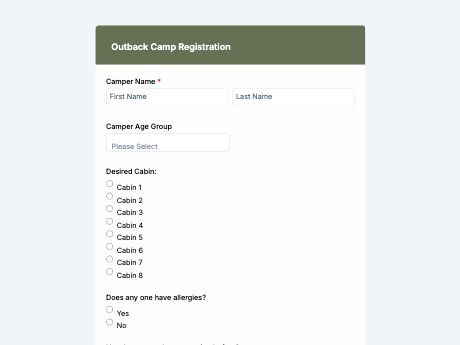
Outback Camp Registration Form Template for Easy Enrollment
แท็ก/หมวดหมู่: ลงทะเบียน
What is an outback camp registration form?
An outback camp registration form gathers a camper's details, emergency contacts, and health info before camp starts, so organizers have everything ready early.
Participants fill out one online form instead of paper permission slips, and all entries go to one place.
Customize this template for your camp entry forms, then share it as a QR code on flyers, at info sessions, or in emails. Every online entry saves to your TIGER FORM dashboard, so staff can plan cabins, activities, and staffing without digging through paper files.
Get started with the Outback Camp Registration template, or build your own event form from scratch with TIGER FORM's AI form builder.
Benefits of this template
an organized, online registrations lets camp staff focus on the main job: planning cabins and activities without having to chase missing details.
typed responses replace handwritten forms that are easy to misread, especially for medical or emergency info.
allergies, medical conditions, and emergency contacts are on hand before camp starts.
every registration is stored digitally and searchable, ready for staff to reference during camp.
built-in consent and waiver fields document parental agreement for every camper.
Fields
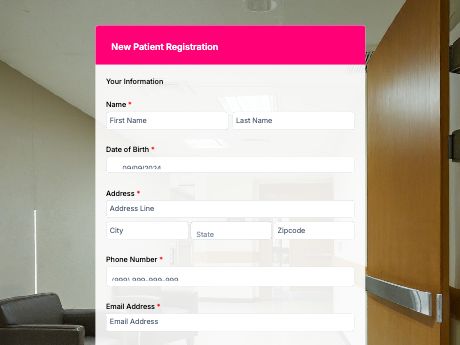
This outback camp registration template is a standard camper sign-up form with fields such as:
Start customizing this Outback Camp Registration Form Template in TIGER FORM
Best for
This template works for any organization running a camp that needs complete camper information before the session starts.
Industries Use Case
Outback camp registration needs to shift slightly depending on the program type, but the goal remains the same: gather complete camper details before departure.
Registration forms often need detailed medical and physical readiness forms due to the outdoor nature of activities.
Simple, mobile-friendly forms make it easy for parents to register kids quickly during busy sign-up periods.
Forms need session or date selection fields to keep enrollment organized across different camp weeks.
Others (Hows and Tips)
How to create an outback camp registration form with TIGER FORM?
You can start with this template, refine to your camp’s branding and camp registration requirements.
Or you can go to TIGER FORM's online form builder and select the “Forms” tab to start from scratch.
Add or edit fields such as camper details, medical information, and activity preferences using the drag-and-drop builder.
Customize the form's design to match your camp's branding.
Preview the form on both desktop and mobile to check for errors.
Generate a QR code linked to your form and customize its design if needed.
Share the form link or QR code on flyers, at info sessions, or through registration emails.
Tips on creating an outback camp registration form
- Mark required fields to be clearly marked, especially medical information and emergency contacts.
- Group fields by category (camper info, health details, consent) to make the form less overwhelming.
- Add a signature field for liability waivers and parental consent.
- Include a session or date selection field if your camp runs multiple sessions.
- Test the form on mobile devices, since many parents will register on their phones.
FAQs about the volunteer application form
It's a form that collects a camper's personal, medical, and emergency contact details before camp begins, used by camp organizers, youth programs, and parents registering campers.