01Account Access
1a. Create Account and 1b. Log In
Click the Forms tab to get started and save forms to your dashboard. If you already have an account, log in and open Form Builder to create forms from scratch.

TIGER FORM is both a free online form builder and a QR code generator. Build your forms, then generate and deeply customize the QR code in one platform. No separate software needed to generate QR codes for your forms.
BUILT BY THE QR TIGER TEAM • TRUSTED BY 850,000+ BRANDS WORLDWIDE


SIMPLE 7-STEP WORKFLOW
TIGER FORM is built with native, dynamic QR codes. Because of this, the steps you take to create a form look a little different from those of most online form creators. Here is how to create a QR code form.
Click the Forms tab to get started and save forms to your dashboard. If you already have an account, log in and open Form Builder to create forms from scratch.
Pick from 100+ high-converting pre-built industry templates that match your project, or open a clean blank canvas to build your custom form from the ground up.
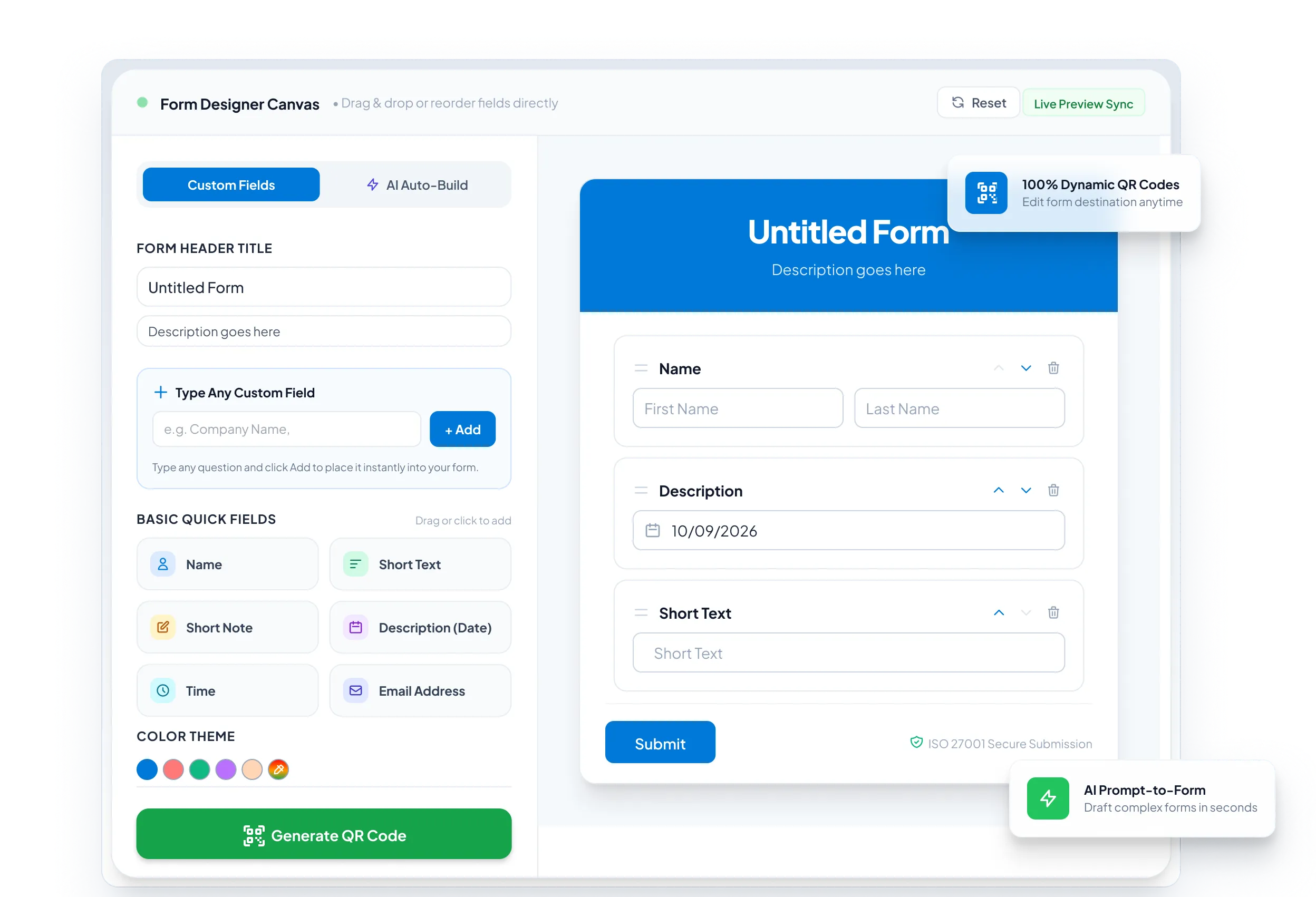
Drag tools from the side panel: text boxes, multiple choice, file uploads, or signature fields. Edit visuals to match your brand with custom colors, logos, and fonts.
Before publishing, use the built-in preview in the upper right corner to simulate the respondent experience on desktop and mobile and catch errors instantly.
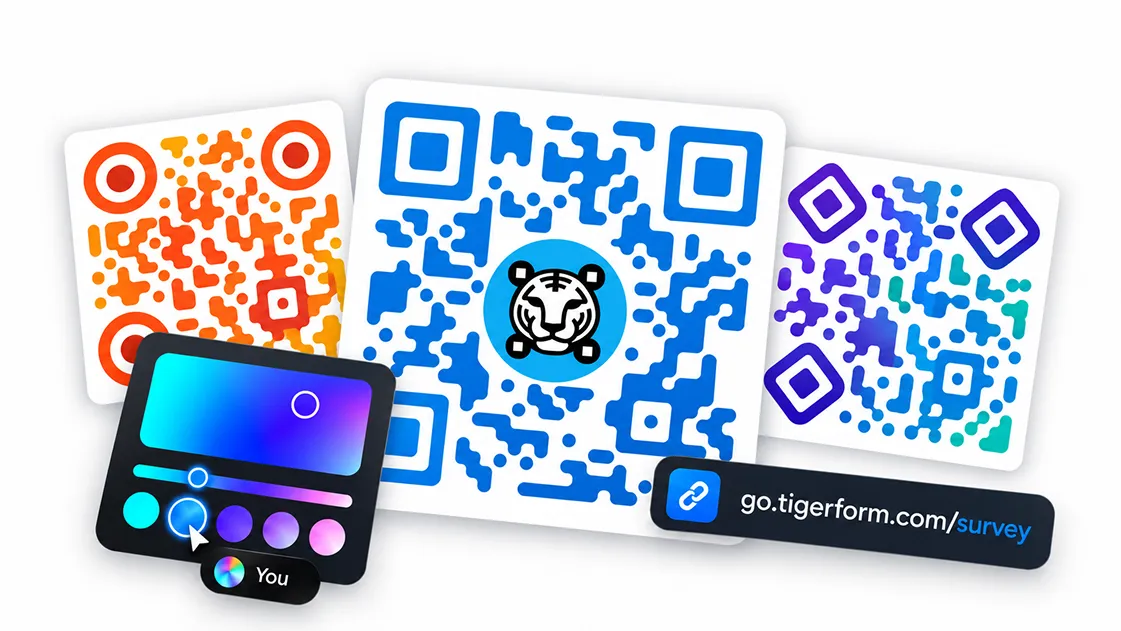
TIGER FORM automatically creates a dynamic QR code. Customize eye shapes, patterns, frames, and branding colors so the scannable code matches your form.
Export to publish your form automatically. Print the QR code for posters and tables, or share digitally via direct link, frame embeds, and emails.
STEP 07 • PERFORMANCE
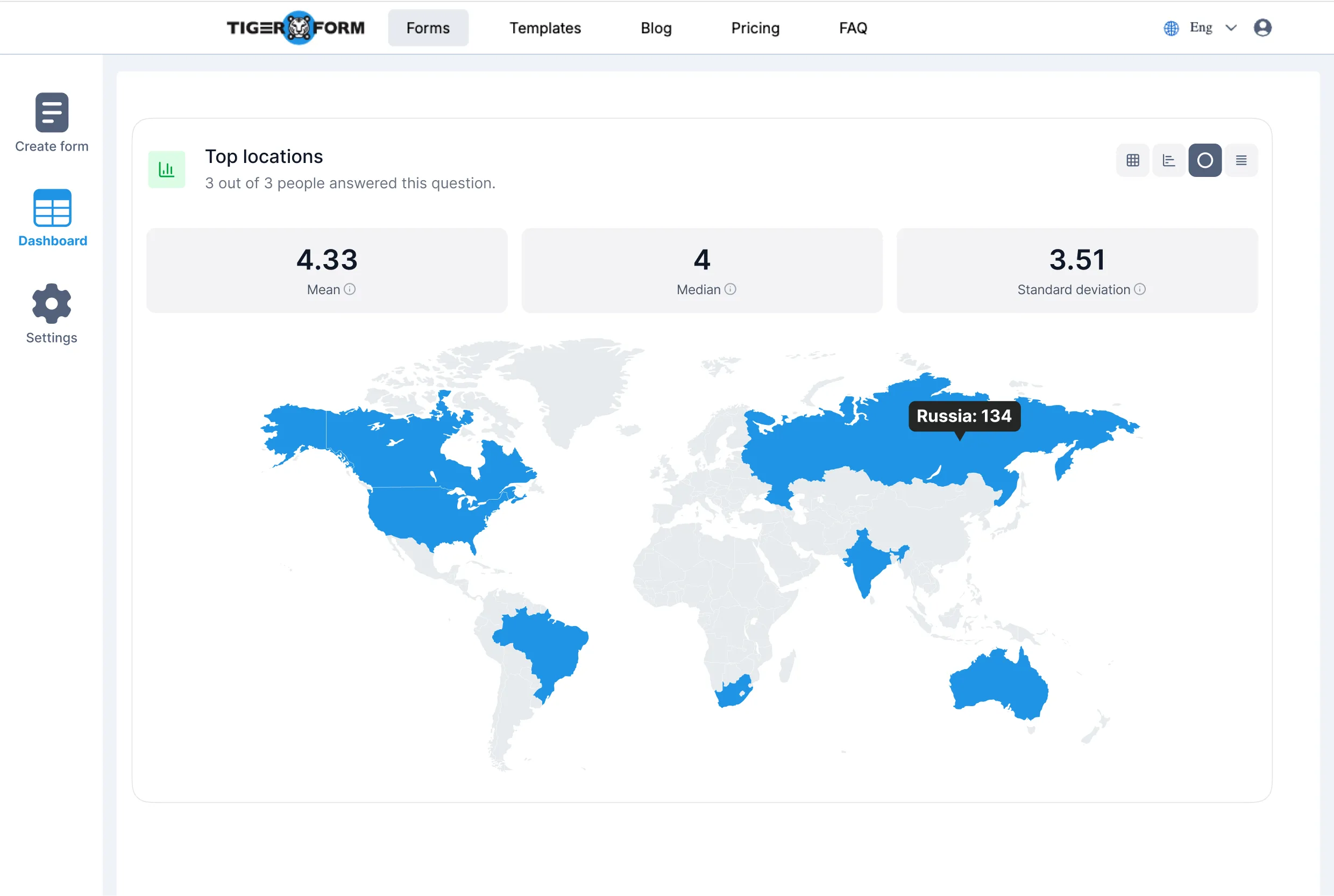
Track submissions, scan frequencies, respondent locations, device types (mobile, tablet, desktop), and peak submission hours automatically in your live dashboard.
AI ONLINE FORM CREATOR AND BUILT-IN QR CODE GENERATOR
TIGER FORM is an advanced online form builder with built-in AI and dynamic QR codes, helping you create smarter digital forms in minutes. Generate complete forms instantly, customize them with images and branding, and share them through a scannable QR code. A free form builder, flexible form generator, and a smart way to collect data across devices, all in one.
All-in-one platform architecture
INSTANT ACCESS, NO REPRINTS, NO BROKEN LINKS
Unlike static QR codes, dynamic codes are not locked to one destination. Update your form or swap it for a different one, and the same printed QR code points to the latest version: no reprints, no broken links, no retyping URLs. TIGER FORM tracks every scan, including location, device, and time.
Zero reprint costs forever
FASTER, PAPER-FREE, EFFORTLESS TO SHARE
Forms with QR codes collect data faster without paper or long URLs. Create interactive forms, generate scannable QR codes, and update your forms anytime with the same dynamic link. Sharing stays effortless on mobile and desktop.
Up to 40% higher response rates
ENTERPRISE-GRADE CAPABILITY
The best online form creator, built for speed and scale. You get an AI form builder with native QR codes, drag-and-drop design, quiz maker, GPS analytics, and REST API all in one solution.
AI TECHNOLOGY
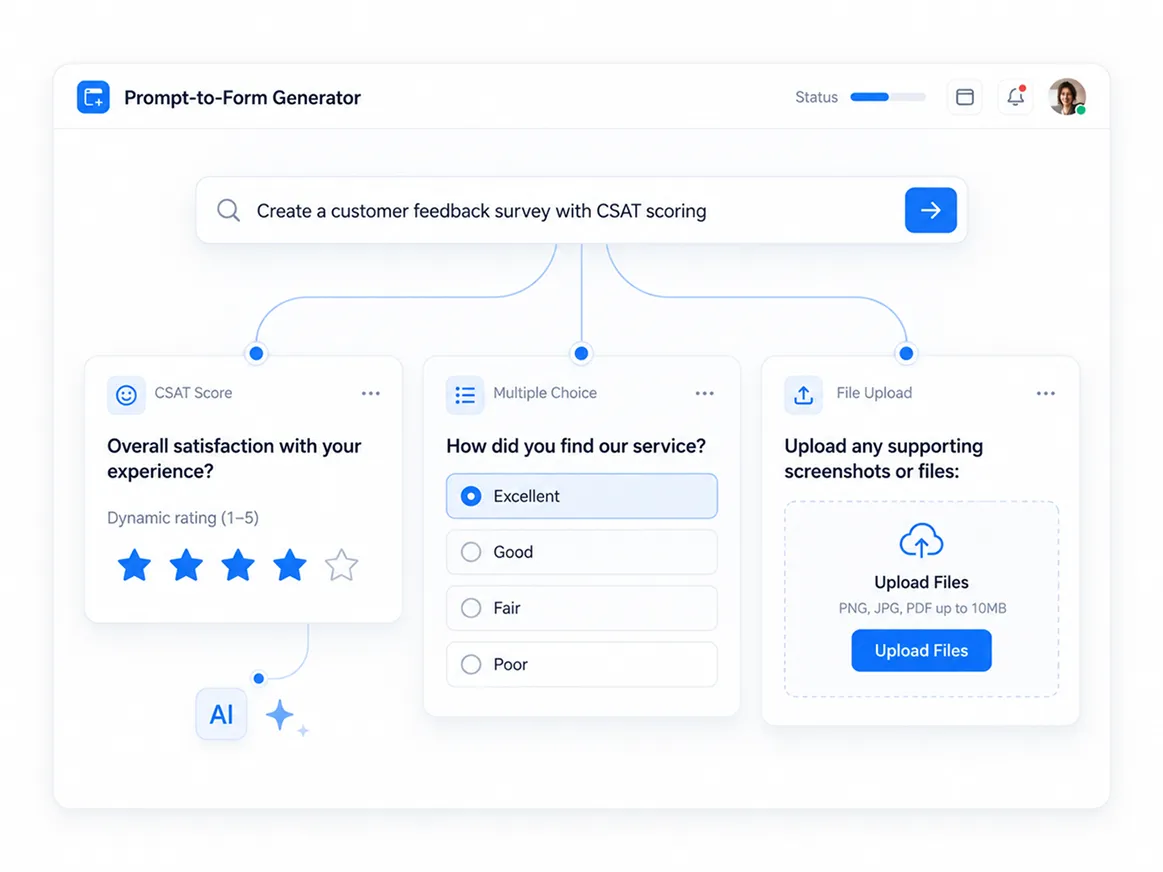
Describe the form you need in plain language, and TIGER FORM's AI drafts the fields, question types, and order in seconds. Edit anything, then publish. No blank canvas required.
NATIVE GENERATION
Every form comes with a dynamic QR code the moment you publish. No separate generator needed. Customize the color, logo, eye shapes, and frame to match your branding.
Create graded quizzes with one toggle. Set correct answers, points, and time limits, and TIGER FORM scores every submission automatically. No manual grading needed.
Auto-grading and instant score feedback
Every scan logs its location, device, and time, so you can see which flyer, table, or region is driving responses. Track it live in one dashboard.
Geographic heatmap and device detection
Connect TIGER FORM to your own systems with a simple REST API. Create forms, push or pull submissions, and generate QR codes programmatically with your own API key.
REST endpoints, webhooks, and Zapier
REAL-TIME PERFORMANCE
TIGER FORM's analytics dashboard tracks QR code scans in real time. See total scans, their geographic location, and the peak times and days of scan activity.
Know whether your audience scans from mobile, tablet, or desktop so you know how respondents are reaching your forms.
Identify peak hours and days when campaigns get the most engagement to optimize future flyer and signage placements.
Export QR code form data and submission responses for offline reporting, presentation decks, or CRM imports anytime.


FEATURE COMPARISON
See why over 850,000 businesses choose TIGER FORM as their complete all-in-one form and QR solution.
| Features | TIGER FORM | Google Forms | Microsoft Forms | Others |
|---|---|---|---|---|
| Generous Free Plan | Free | Varies | ||
| Starting Paid Plan | $16/month | Free | $9.99/mo (M365) | $37/mo (est.) |
| Native Dynamic QR Codes | Native DynamicTracks scans, location, device and time | None | Basic static | Basic |
| QR Code Analytics | Full Real-timePass protection, expiry, retargeting | |||
| AI-Powered Form Building | Built-in AI | Basic (Gemini) | Copilot | |
| Sharing Modes | Tri-Mode SharingQR Code, Link, Email | Link only | Link and Basic | Basic |
| Batch QR Export | SVG, PNG, PDF | |||
| Integrations (Zapier 8000+, API) | Complete API + Zapier | Google Native | M365 Native | Limited |
PRE-DESIGNED SOLUTIONS
On counters, tables, classrooms, or at a job fair, wherever your audience finds you, forms with QR codes turn in-person interactions into online responses.
Speed up check-in and get instant feedback with a QR code at registration desks, booths, during engagement activities, or session exits.
Use Event Template →Let guests scan a QR code at their table to order food, share feedback, or join a rewards list. No app or new menu needed.
Use Menu Template →Make patient check-in, appointment forms, and satisfaction surveys easier with a scannable code at front desks or exam rooms.
Use Intake Template →Give students, parents, and teachers quick access to registration, quiz, and feedback forms from classroom posters.
Use Quiz Template →Turn physical signs and receipts into online feedback tools, product surveys, or promo sign-ups with just one scan.
Use Survey Template →Collect donations, volunteer sign-ups, and event RSVPs on-site with a QR code on flyers, banners, or donation boxes.
Use Donation Template →Speed up supplier or vendor reviews by adding a QR code form at delivery points or intake counters.
Use Vendor Template →Speed up site inspections and safety reviews with a scannable form that field crews can fill out instantly on-site.
Use Inspection Template →
Start for Free with Essential Features
GOT QUESTIONS?
Everything people ask before they build a form
TIGER FORM is an online form builder with integrated QR code generation that allows users to create surveys, registration forms, quizzes, applications, and data collection forms.
No Credit Card Required
Join hundreds of thousands of teams using TIGER FORM to eliminate paper waste, automate responses, and collect data everywhere with dynamic QR codes.


