ISO 27001-Certified
TIGER FORM holds ISO/IEC 27001 certification, the international standard for information security management.

 AI Form Builder

Header
Basic Fields
Tap any field below to add it to your form.
General Fields
Multimedia Fields

Trusted by more than850,000 brands since 2018


TIGER FORM holds ISO/IEC 27001 certification, the international standard for information security management.

Designed to support compliance with EU privacy regulations by providing data anonymization prior to database storage.

Designed to support compliance with California privacy regulations by providing data anonymization prior to database storage.
An online form builder lets you create surveys, registration pages, order forms, and other data collection forms without coding.
You add fields with a drag-and-drop editor, publish the form as a link or embed, and collect responses in an automated dashboard instead of a spreadsheet you build by hand.

Never reprint physical collateral when your questions change.
TIGER FORM is the form builder with a native, dynamic QR code built in; no separate generator or plugin needed.
Click the "Forms" tab to get started. Creating an account lets you save your forms to your dashboard.
If you already have an account, log in and click the "Form Builder" icon to start creating from scratch.
Pick a template that matches your project, or open a blank canvas and build with drag-and-drop tools.
Drag in text boxes, multiple-choice, file uploads, or signatures. Edit visuals to match your brand logo and colors.
Before publishing, use the preview feature (upper right) to check your form layout and validation rules.
TIGER FORM automatically creates a dynamic QR code. Customize the eyes, frame, and logo for brand alignment.
Exporting automatically publishes your form. Print for physical use or share digitally via links, embeds, or emails.
Track submissions and scan trends per location, device, and time. Results land in your dashboard automatically.
Standard features that turn everyday forms into trackable data engines.

Every form code points to a dynamic link. Edit questions after printing, and the code continues pointing to the newest version.

Protect data collection forms with passwords, set auto-expiration dates, and receive scan alerts in real time.

Change your QR code's color, embed your company logo in the center, and select custom call-to-action frames.

Distribute forms across physical and digital touchpoints via printed QR codes, shareable URLs, emails, or embedded site widgets.

Generate and download QR codes for multiple form variants or store branches in bulk — ideal for multi-location teams.

Every scan logs location, device, and time, allowing you to trace results back to specific tables, flyers, or regions.
Start from scratch, use our AI form generator, or pick a proven template.

Application Forms
New Internet Service Application Form Template

Registration
Event Registration

Surveys
Customer Satisfaction Survey
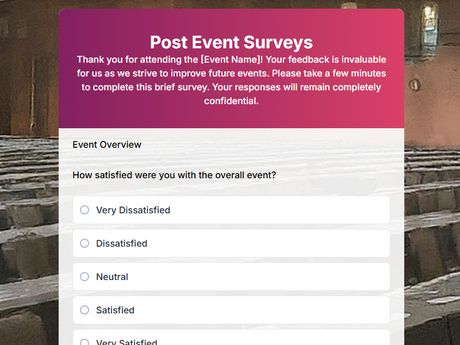
Event Forms
Post Event Surveys
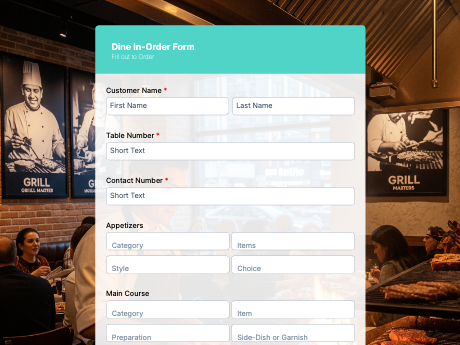
Order Forms
Dine-In Order Form

Lead Generation Forms
Referral Form

Feedback Forms
Online Course Feedback Form

Employment Forms
Leave of Absence Request
Engineered for real operational environments where paper processes meet mobile data collection.

Add scannable codes to print ads, packaging, or event banners to collect qualified leads and attribute every conversion to the exact source.
📈 Lead Attribution: 100% Traceable

Turn onboarding checklists, employee feedback, and job applications into mobile forms candidates and staff can complete on their own phones.
⚡ Zero Paper Onboarding

Place dynamic QR codes on banners, badges, and booth displays so attendees can RSVP and check in instantly without bottleneck lines.
⏱️ Check-in speed: <3 Seconds

Collect customer feedback, tips, or takeout orders through QR codes on table tents and pinpoint which branch sent each response.
📍 Branch-Level Attribution

Replace paper intake clipboards with secure digital forms patients can complete on their own phones before entering the waiting room.
🔒 HIPAA & GDPR Compliant

Place scannable codes on packaging and receipts so shoppers can register product warranties, submit reviews, and join loyalty programs.
📦 +42% Warranty Registrations
Feature comparison
See why over 850,000 businesses choose TIGER FORM as their complete all-in-one form and QR solution.
| Features | TIGER FORM | Google Forms | Microsoft Forms | Others |
|---|---|---|---|---|
| Generous Free Plan | ✓Free | ✓ | ✓ | Varies |
| Starting Paid Plan | $16/month | Free | $9.99/mo (M365) | $37/mo (est.) |
| Native Dynamic QR Codes | ✓Native Dynamic Tracks scans, location, device & time | ✕None | Basic static | Basic |
| QR Code Analytics | ✓Full Real-time Pass protection, expiry, retargeting | ✕ | ✕ | ✕ |
| AI-Powered Form Building | ✓Built-in AI | Basic (Gemini) | ✓Co-pilot | ✓ |
| Sharing Modes | ✓Tri-Mode Sharing QR Code, Link, Email | Link only | Link & Basic | Basic |
| Batch QR Export | ✓SVG, PNG, PDF | ✕ | ✕ | ✕ |
| Integrations (Zapier 8000+, API) | ✓Complete API + Zapier | Google Native | M365 Native | Limited |
Enjoy 24/7 support on all plans
Perfect for testing and small projects.
No credit card required.
Best for growing teams and branded workflows.
Best for growing teams and branded workflows.
For large deployments, security reviews, and custom SLAs.


Have questions? Reach out to us at tiger-form@qrtiger.helpscoutapp.com
TIGER FORM is an AI-powered form tool that generates a dynamic QR code for every form you create. Build the form with a drag-and-drop editor, publish it as a link, an embed, or a QR code, and track responses and scan data from one dashboard.
Yes. The Freemium plan lets you create forms and get a dynamic QR code with no credit card. Paid plans add more submissions, storage, team seats, and advanced QR controls.
Yes. Match your brand with colors, a logo, and a backdrop, and style the QR code with custom eyes, frames, and a center logo.
Yes. Every form gets a dynamic QR code when you publish. Edit the form later and the printed code still opens the latest version.
Yes. Turn on Quiz Mode to mark correct answers, assign points, set a passing score and time limit, and write pass, fail, or time-out messages.
No. Drag fields onto the canvas, preview the form, and publish. You do not need code or a separate QR plugin.
Yes. Share a link, embed the form, send it by email, or print the QR code for flyers, packaging, slides, or table tents.
Add name, email, phone, short and long text, single and multiple choice, dropdowns, checklists, numbers, dates, signatures, location, and file or media uploads.
Yes. Start from a template or a blank canvas. The builder shows a live preview before you publish, and every form includes its QR code.
Open Forms, pick a template or a blank canvas, drag in your fields, preview, then export. Publishing creates the form link and the dynamic QR code together.
Every form comes with a free dynamic QR code. No credit card required.